
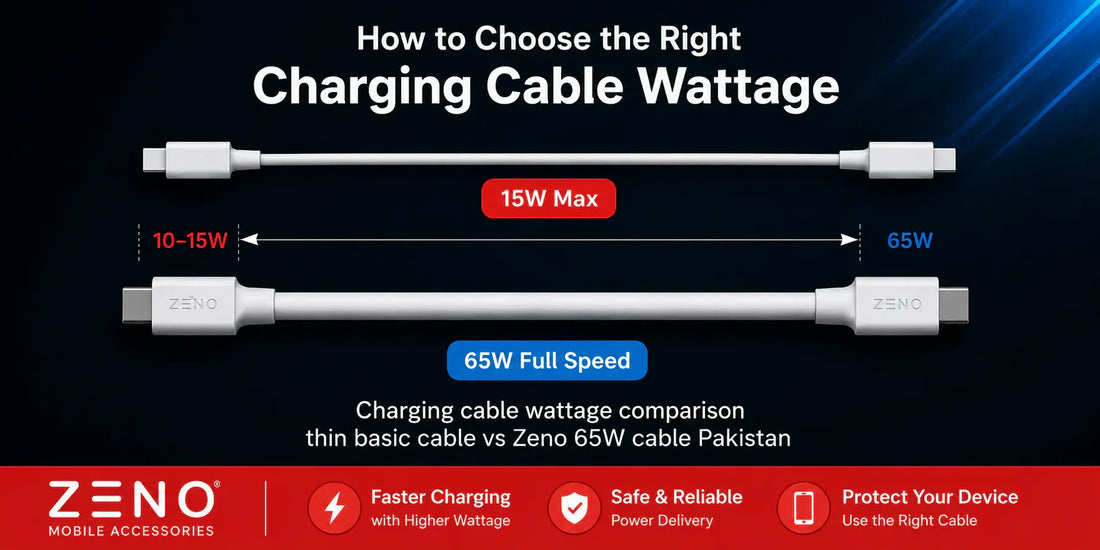
Your charger can only deliver as much power as your cable allows. A 65W PD charger paired with a cable rated for 15W will charge your phone at 15W. The cable is the bottleneck, not the charger. This is the single most overlooked factor in slow charging setups across Pakistan, where most people upgrade their charger but keep using whatever cable came in the original phone box.
This guide explains what cable wattage means, how to find the right rating for your setup, and how to spot the signs that your current cable is holding you back.
What Is Cable Wattage?
Cable wattage is determined by two factors: the thickness of the copper wiring inside (measured in gauge) and the quality of the connectors at each end. Thicker copper carries more current with less resistance and generates less heat. Higher quality connectors maintain stable contact throughout the charging session, ensuring consistent power delivery from start to finish.
A cable rated for 60W or 65W has noticeably thicker internal wiring and more precisely machined connectors than a basic cable rated for 10–15W. From the outside, both cables might look identical. Same length, same jacket colour, similar weight. The difference is entirely inside, and it directly determines how much of your charger's output actually reaches your phone battery.
This is why cable wattage is not a marketing number. It is a physical specification tied to the materials used in manufacturing.
Does Cable Wattage Actually Matter?

Yes, and the impact is larger than most people expect. Here is a real-world example that applies to thousands of ZenoTech customers in Pakistan.
You purchase a 35W PD charger. You connect it to your Samsung Galaxy S24 using the basic USB-C cable that came in the box, which is typically rated at 10–15W. Your phone now charges at 15W less than half the speed the charger is capable of delivering. You paid for 35W performance and are receiving 15W because the cable cannot carry more.
Replace that cable with one rated for 60W or 65W, and the same charger delivers its full 35W output. Charging time drops significantly. Your phone reaches 50 percent charge in roughly 25 minutes instead of 45. That difference adds up to hours saved every week.
The higher your charger wattage, the more critical cable rating becomes. A 20W charger with a 15W cable loses a small percentage of speed. A 65W charger with the same 15W cable loses over three quarters of its charging capacity.
Which Cable Wattage Do You Need?

| Your Charger | Minimum Cable Rating | Recommended Cable |
|---|---|---|
| 5–10W (basic) | Any USB cable | Any cable works |
| 20W PD | 20W rated | 60W (future-proof) |
| 35W PD | 35W rated | 60–65W |
| 65W PD | 60W rated | 65W+ PD cable |
| 100W PD | 100W rated | 100W e-marked cable |
The recommended column always goes higher than the minimum. Buying a cable rated above your current charger wattage means you never need to replace the cable if you upgrade your charger later. A 65W cable purchased today works perfectly with a 20W charger now and a 65W charger in two years.
How to Check a Cable Wattage Rating
Look for the wattage printed on the cable packaging or product listing. Reliable manufacturers print this clearly. Common labels include "60W PD Cable", "65W Fast Charging Cable", or "100W USB-C Cable". If a cable listing does not mention wattage anywhere, assume it is a basic 10–15W cable regardless of what the seller claims verbally.
Browse our fast charging data cables rated for 60W and 65W to get full speed from your charger.
Cable type is another indicator. USB-C to USB-C cables generally support higher wattage than USB-A to USB-C cables because the USB-A connector itself limits power delivery. USB-A to Micro USB cables are almost always basic 10W regardless of wattage claims. Read our USB-C vs Lightning vs Micro USB guide for a full breakdown of which connector types support which speeds.
In local Pakistani markets, sellers often claim cables support fast charging without any documentation. If you cannot find a printed wattage rating on the cable itself or its packaging, the cable is almost certainly not rated for your charger wattage.
Cable Wattage vs Cable Quality — Understanding Both
Wattage rating and overall build quality are related but different. A cable can be rated for 65W but still fail within months if the jacket material, strain relief, and connector plating are low quality.
For Pakistani buyers, both matter equally. Here is what to look for beyond just the wattage number.
Jacket material: Silicone jackets are flexible and kink-resistant. Braided nylon jackets are more durable against abrasion. Both outlast basic PVC plastic jackets significantly.
Strain relief collars: These are the reinforced sections at both ends where the cable meets the connector. This is where almost every cable fails first. A cable without proper strain relief will develop an internal break near the connector within weeks of daily use.
Connector plating: Aluminium alloy connectors hold their shape after thousands of plug cycles. Cheap plastic connectors bend, crack, and develop loose connections over time.
Length: 1 metre cables have marginally less resistance than 2 metre cables. With a quality rated cable this difference is negligible. With a cheap unrated cable, longer length means slower charging.
Signs Your Current Cable Is the Problem
If you are experiencing any of these issues, your cable is almost certainly limiting your charging speed — not your charger.
Charges slower than expected: If your 35W or 65W charger is not delivering noticeably faster speed than a basic adapter, the cable is the likely bottleneck. Swap cables and test immediately.
Cable gets warm during charging: A cable that gets warm along its length during normal charging has too much resistance in the copper wiring. This means current is being lost as heat rather than reaching your battery. This is also a safety concern over time.
Intermittent charging: If your phone repeatedly connects and disconnects from the charger without you touching it, the cable connector is making poor contact. This is early failure — replace immediately.
Speed decreases over time: A cable that used to charge at decent speed but has slowed down over months has degraded internal wiring. The copper strands break gradually with daily bending, reducing the effective cross-section of current-carrying material.
Replacing a low-wattage or degraded cable with a quality rated option from our data cables collection is the cheapest upgrade that produces the biggest charging speed improvement. A Rs. 750–1,000 cable upgrade can double your effective charging speed using the exact same charger you already own.
Does Your Phone Charger Type Affect Which Cable You Need?
Yes. Different charger types require different cable considerations. Here is a quick reference.
USB-C PD chargers (20W, 35W, 65W): Always require USB-C cables rated to match or exceed the charger wattage. USB-A cables do not support PD regardless of wattage label. Always pair your 20W or 35W PD charger with a cable rated to match or exceed the charger wattage.
iPhone users: Require USB-C to Lightning cables for fast charging with PD chargers. Read our Type-C to Lightning cable buying guide for iPhone-specific recommendations.
Samsung and Android users: Require USB-C to USB-C cables rated for your phone's maximum supported wattage. Most Samsung Galaxy phones support 25–45W. The cable must be rated to match.
Micro USB devices: Power banks, budget phones, Bluetooth devices. These do not support PD. Basic cables work, but quality still matters for longevity.
Frequently Asked Questions
Does cable wattage matter for charging? Yes. Your cable limits how much power reaches your phone. A cable rated below your charger wattage becomes a physical bottleneck that slows charging regardless of how powerful your charger is.
Can a cable slow down charging? Absolutely. A 15W cable with a 35W charger means your phone only receives 15W. The cable restricts current flow due to thinner copper wiring, and that restriction cannot be bypassed by upgrading your charger alone. For a full troubleshooting checklist covering cables, chargers, and ports, read our phone charging slowly guide.
What watt cable do I need? Match your cable rating to your charger wattage or go higher. For a 20W charger use a 60W cable. For a 35W charger use a 60–65W cable. For a 65W charger use a 65W cable. Going higher future-proofs your setup at no performance cost.
Are all USB-C cables the same wattage? No. USB-C cables range from 15W basic cables to 240W cables for high-power laptops. The connector shape is identical but the internal copper thickness, shielding, and e-marker chips vary significantly between wattage ratings.
How do I know if my cable supports fast charging? Check the packaging or product listing for a printed wattage rating. If no wattage is listed, test by plugging in your phone and checking whether it shows a fast charging indicator in the notification bar. No indicator means the cable is limiting your speed.
Is a more expensive cable always better? Not always, but very cheap cables almost always underperform their claimed wattage. A Rs. 800–1,200 cable from a brand with warranty documentation gives you reliable wattage rating, quality build, and replacement coverage if the cable fails.